— Step 1 of 3
Choose your audience
Search 450M+ contacts by role, company, and signals. Mercury verifies work emails and dedupes against everyone you've already contacted.

 Google Calendar20+ Meetings Booked!
Drive LinkedIn on autopilot. Safe, fast and in your control.
Outreach should work like a Tesla, not like a 1990s car.
 Daily limits for every senderSends only in working hoursYour password never touches Mercury


27/40 · 37% accepted











Search 450M+ contacts by role, company, and signals. Mercury verifies work emails and dedupes against everyone you've already contacted.
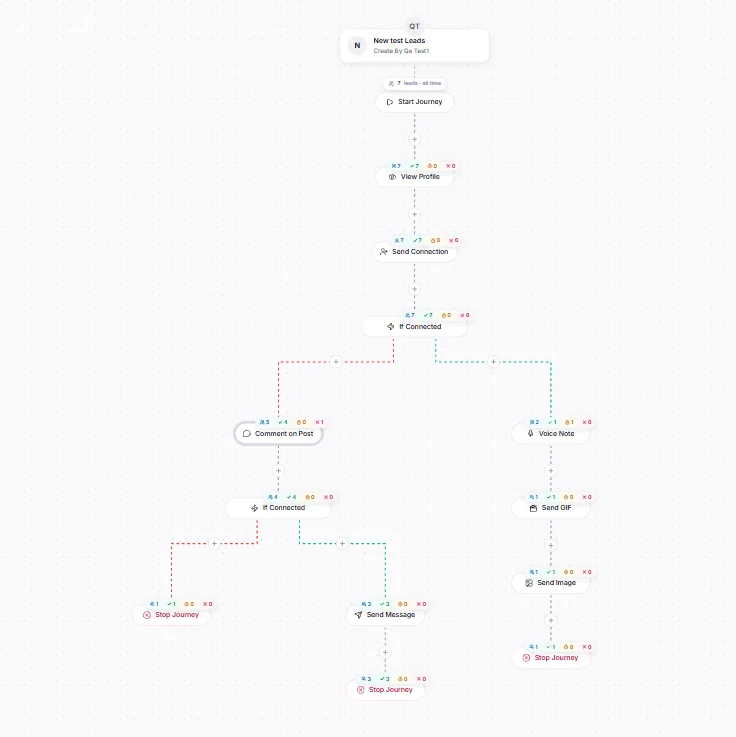
Profile view → invitation → message → follow-ups, with AI-written messages in your reps' voice.
Split the campaign across your team's LinkedIn accounts, each paced by its own limits and working hours. Replies stop the journey and land in one inbox.
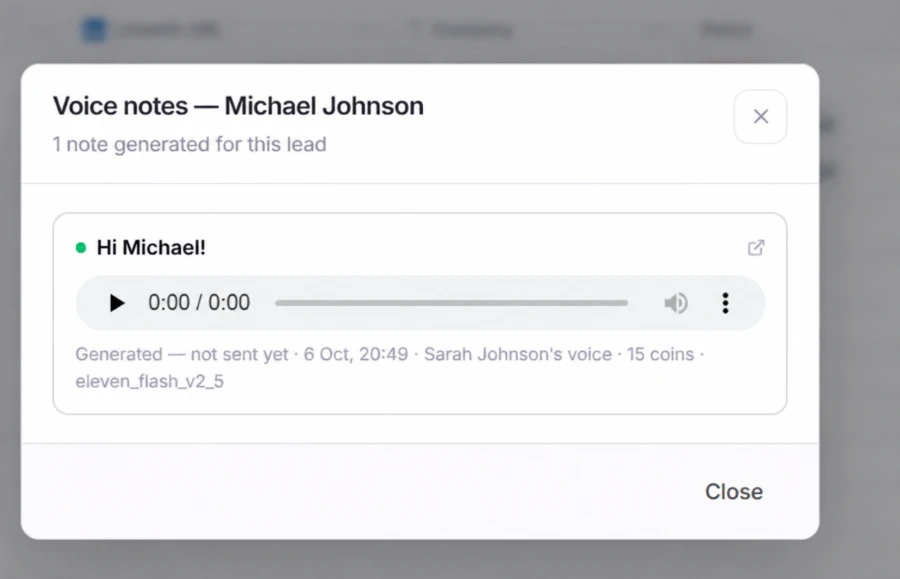
Clone a sender's voice once in Studio. Each lead then gets a voice note in that voice and a GIF to go with it, with nobody recording them one at a time.
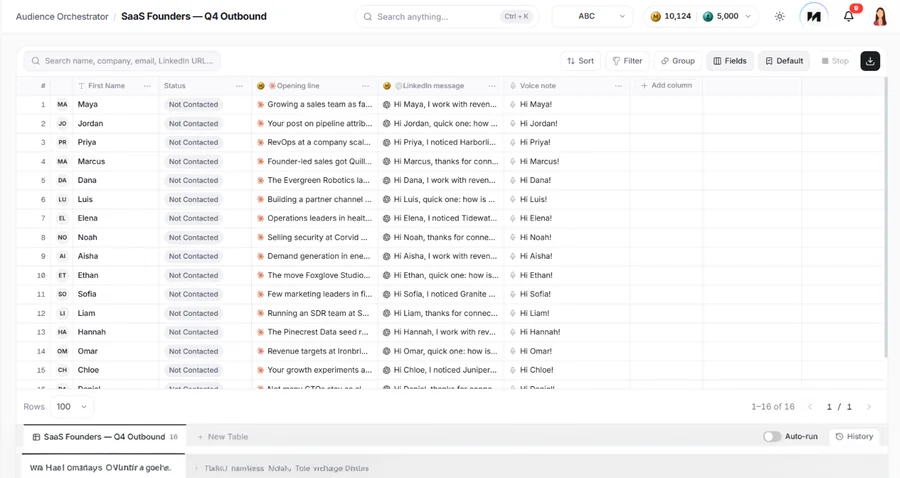
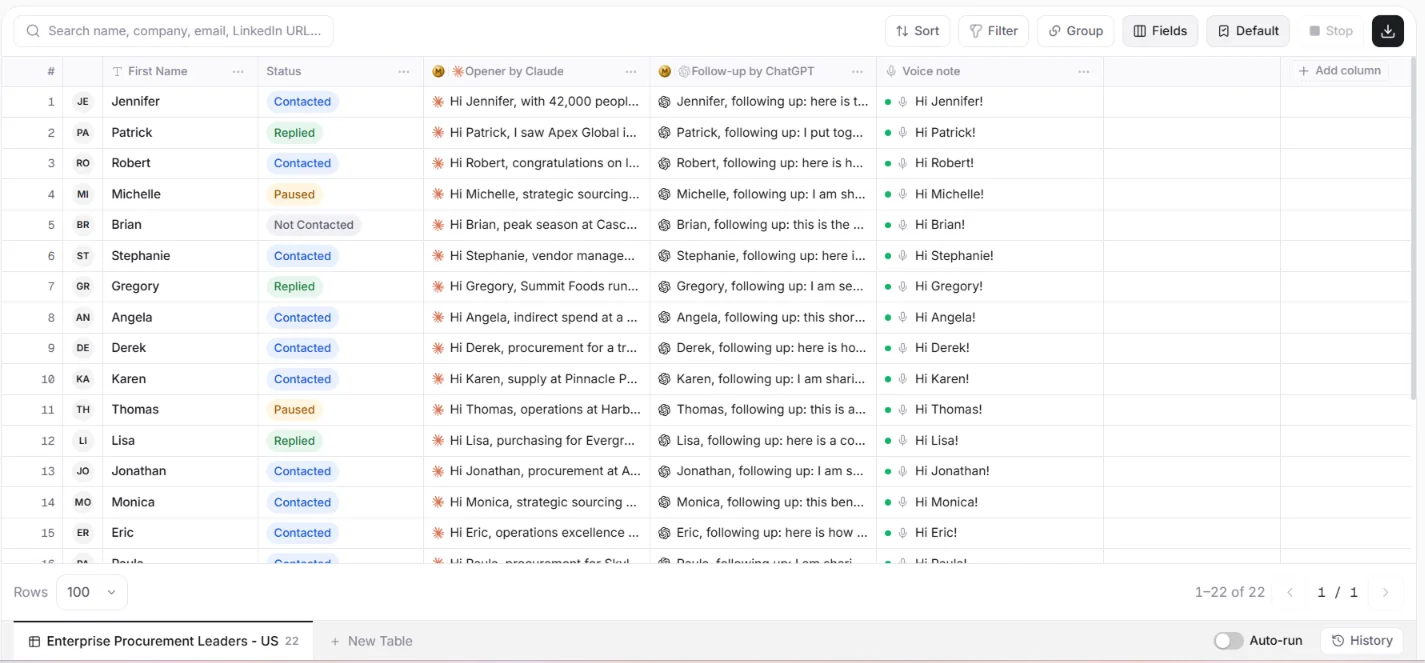
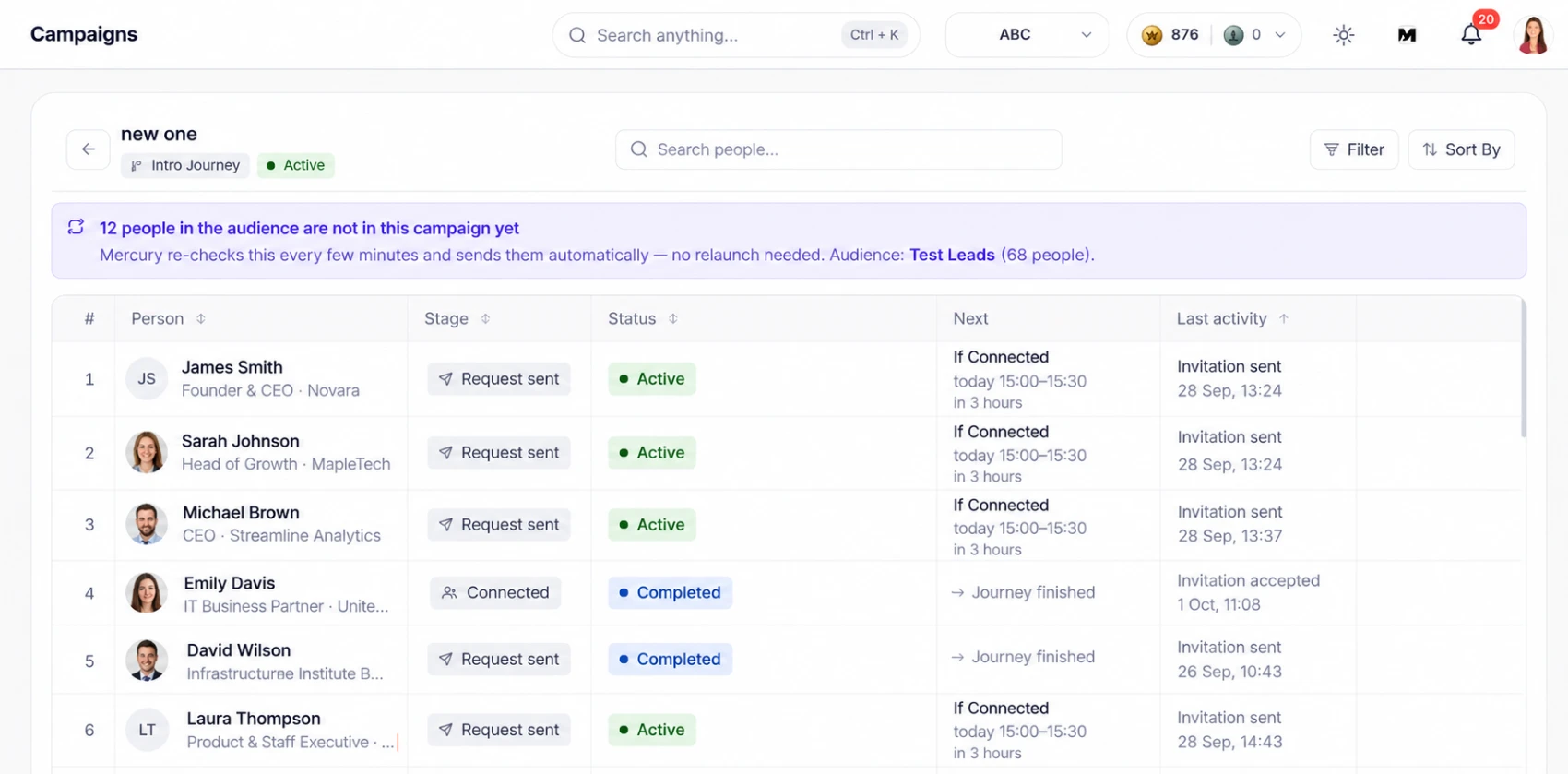
Each lead gets a message written for them, not a merge-field template. The audience table shows one row per lead, so you can check every message before it sends.
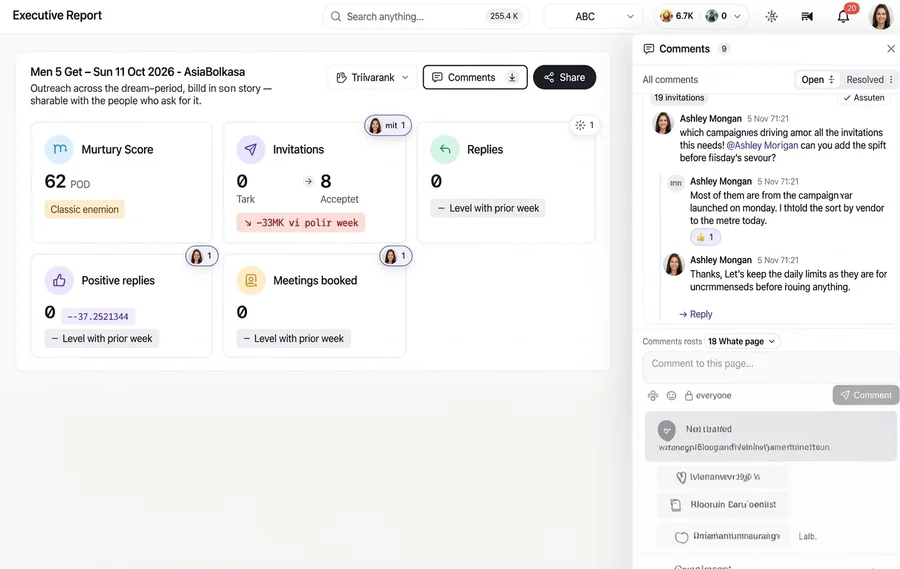
Advanced analytics for every campaign, and reports you share with the team. Colleagues comment on the report itself, so the discussion stays next to the numbers.
 The usual outreach stack
Separate tools
The usual outreach stack
Separate tools
 One template with first-name merge fieldsText only, or voice notes recorded one by oneA separate data tool, exported and re-importedSequences rebuilt for every campaign and senderAPI access held back for higher plansA help centre and a ticket form
 A message written per lead, reviewed in a table before it sendsVoice notes generated in each sender's own cloned voiceA 450M-contact database inside the productAudiences and journeys reused across campaignsAPI on every plan, plus CLI, webhooks and an MCP serverA dedicated team that fixes it on your screen with a support code, plus a person on live chat
 From $79 per sender / month14-day money-back guaranteeLive in about 10 minutes
 0:24
0:24Record a script once. Mercury writes each note from the same research and records it personally, then sends it as a journey step.
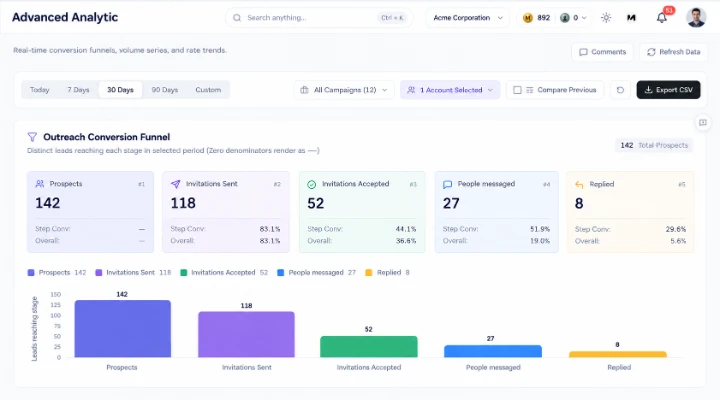
Acceptance, replies and positives across campaigns, senders and audiences — one definition of a positive reply everywhere.
Who accepts and who replies by title, seniority, industry, company size and country, so you cut the segment that was never going to answer.
One row per human being: tags, journey position, every conversation across every sender, your notes. No duplicate people.
 2-way
2-wayLeads flow in from HubSpot, Salesforce, Attio or Zoho and results flow back, deletions included, so the two never argue about who exists.
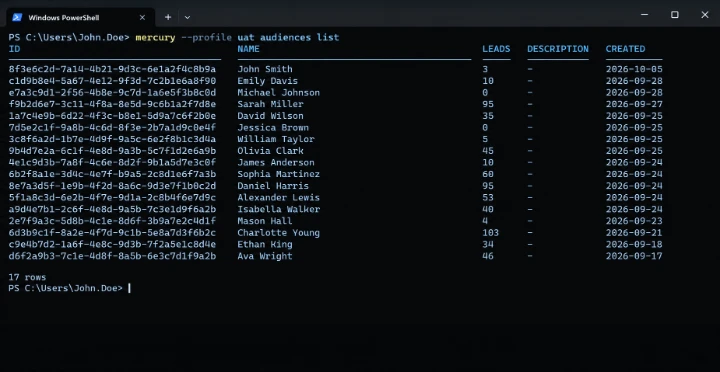
Every object you can click, you can call. Webhooks push events as they happen, and the MCP server lets an AI agent run outreach under the same limits.
A restricted LinkedIn account costs more than any tool saves. Mercury treats pace as the product.
Daily caps for every sender and action, only inside working hours.
 Separate limits for invites, messages and profile viewsWorking hours in your workspace time zonePauses the sender when LinkedIn pushes back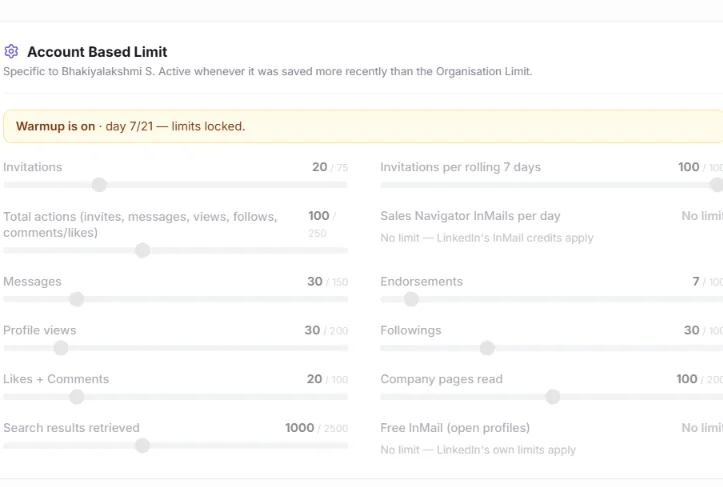
Conversations from all your senders in one place. A reply stops the sequence.
Reply as any connected senderPositive replies synced to HubSpot, Salesforce, Attio or ZohoSlack alerts when a thread turns warmSounds good, does Thursday work?
via Priya's LinkedIn · Synced to HubSpotWhat does pricing look like for 5 seats?
via Jordan's LinkedInNot right now, check back in Q1.
via Maya's LinkedInHappy to chat. Sending my calendar.
via Priya's LinkedInOne Mercury Score, plus a report you can share with a link.
Week, month or quarter, per campaignShare links and embeds with no loginWho accepts and replies, by title, industry and country 82Mercury Score
Mercury reports outreach the way it is judged: did they accept, did they reply, was it a yes, did it become a meeting.
Invitations accepted against invitations sent, swept fairly so every sender is checked and stale invites are retired.
Replies against first messages, reconciled with LinkedIn so a reply that arrived while nobody was looking is still a reply.
A single, confirmed rule for what counts as a positive — used by the dashboard, the report and the CRM push alike.
Tag a person as a meeting, a proposal or a customer and Customer 360 and the report move with them.
Run each client in its own workspace under one subscription: their senders, their audiences, their inbox — and a client portal login that can look but never touch. Share the Executive Report by link instead of writing the Friday email.
Rotate outreach across the whole team’s LinkedIn accounts, keep every conversation in one inbox, and push the positives straight into HubSpot, Salesforce, Attio or Zoho with the activity logged.
Everything in the app is on the API — on every plan. Webhooks for replies and acceptances, a CLI (npm i -g @mformercuryy/cli), and an MCP server so your AI agents can run outreach with the same limits as a person.
Something not covered here? Write to hello@mformercury.com.
A LinkedIn account you connect to Mercury and send from. Three teammates’ accounts are three senders; one account used by three teammates is one. Starter is sold for one to five senders, Pro for one to twenty-five, and Agency includes twenty-five with more at $50 each.
Choose a plan and a sender count, enter your details and we raise an invoice through Veem — pay it by card or bank transfer in Veem’s own checkout. The moment Veem authorises the payment, the checkout page gives you a one-use link to create your account. Card payments are usually authorised in minutes; bank transfers take longer.
Mercury is built around not losing accounts. Every sender has separate daily limits for invitations, messages and profile views; steps run only inside working hours; and when LinkedIn itself refuses an action the sender waits rather than retrying. You connect through a hosted LinkedIn login window, so your password is never stored by Mercury.
Yes. Adding senders or moving between Starter, Pro and Agency is a new invoice for the difference; write to us from your workspace and it is done the same day. We are building self-serve upgrades next.
No — every workspace opens on a paid plan, monthly or yearly. Monthly plans do not renew automatically: you are invoiced before the period ends and can simply not renew. If Mercury is not right for you in the first fourteen days, tell us and we will refund the first month.
Yes. Workspaces are opened with a company address; personal and disposable mailboxes are refused at checkout and again at sign-up. Teammates and client-portal logins you invite from inside the workspace are not held to this rule.
Coins pay for AI — message writing, AI audience columns, review loops. Contact Credits pay for data — Find Contacts searches, verified emails and phone numbers. Every plan includes a monthly allowance of both, which resets each month and does not roll over; packs are on the pricing page and stay valid for twelve months.


Pick a plan, pay, and connect your first sender in about ten minutes.